Run your task as usual
Connect the coding agent you already use. WorkIsland observes its local task signals; it does not replace your terminal, IDE, or agent.
 WorkIsland
AI-NATIVE WORK INTERFACE · MACOS
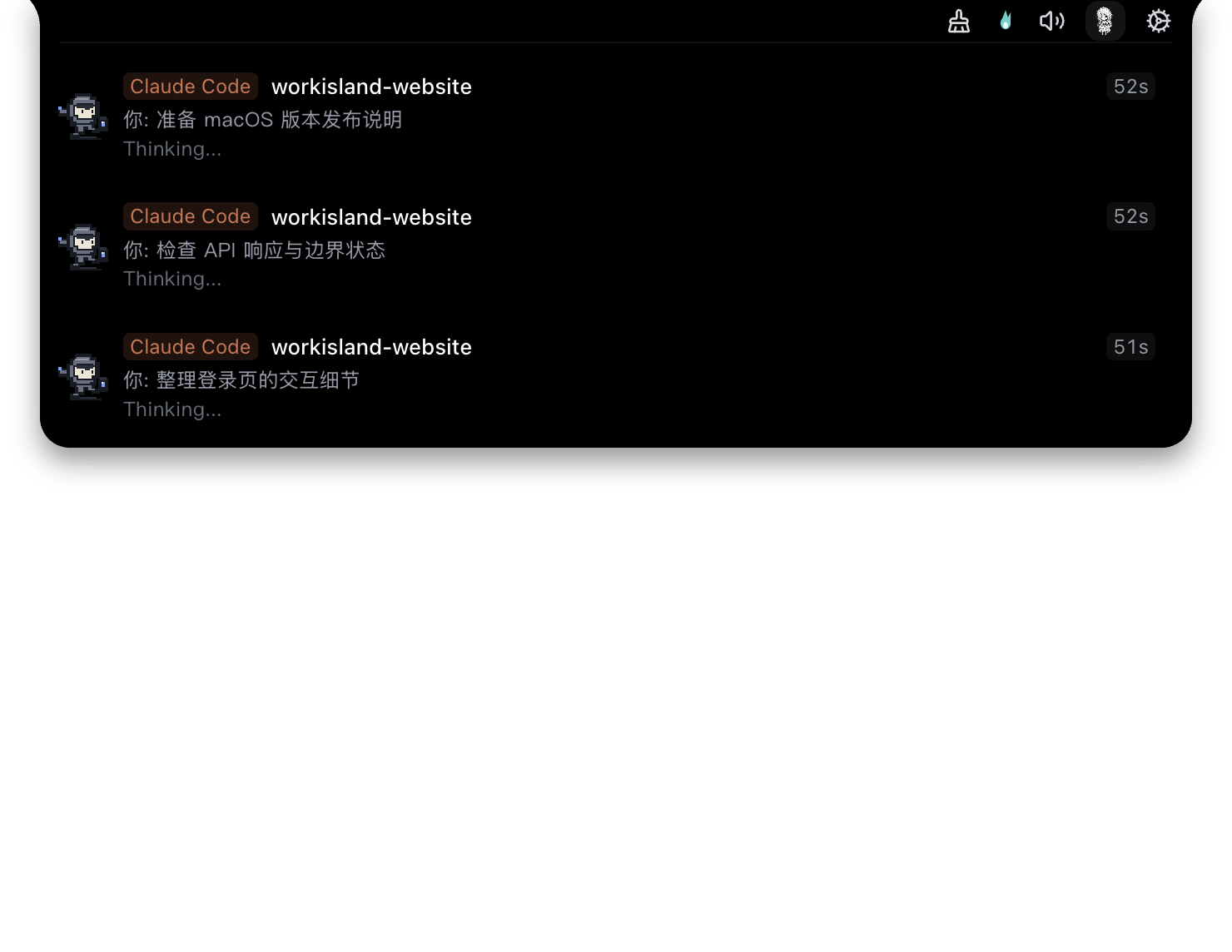
When work needs you, you should not have to go looking for it. WorkIsland is a native macOS app that gathers coding-agent task states, approvals, and reminders on a small island at the top of your screen — visible at a glance, one click back to the session. Starting with Claude Code, Codex, and Cursor.
macOS · local-first · free and open source
WORKS WITH THE AGENTS YOU ALREADY RUN
ONE SIMPLE LOOP
Connect the coding agent you already use. WorkIsland observes its local task signals; it does not replace your terminal, IDE, or agent.
Running, approval needed, question waiting, completed, and failed work each have a clear status, so you do not need to keep polling every session.
Approve or answer when an agent needs you. When ready, jump back to the matching Terminal, iTerm2, Ghostty, Warp, Cursor, or VS Code session.
STARTING WITH AGENTS
WorkIsland does not replace your agent, terminal, or other work apps. It starts with AI coding workflows, making the state, context, and next action visible when work needs you.
It supports first-party adapters for Claude Code, Codex, Cursor, TraeCode, ZCode, WorkBuddy / CodeBuddy, OpenCode, Kimi Code, Gemini CLI, GitHub Copilot CLI, Hermes, Aiden, DeepSeek Harness, and TRAE CLI.
See background work, questions, approvals, completions, and failures without searching through windows.
Use the Island to go back to the session that generated the signal rather than reopening the wrong terminal tab.
Use a notched Mac, a non-notched Mac, or external displays. Choose island, desktop companion, sound, and notification settings that match your attention.
FAQ
No. WorkIsland is a native Mac work interface for AI workflows: it makes work that needs you visible with the context and next action. The public release starts with coding agents; email, calendar, and general notifications are not advertised as shipped features.
No. It works alongside the tools you already run and helps you return to the originating session when work requires you.
Current public releases provide macOS builds for Apple Silicon and Intel Macs. See the official releases for the current installers and notes.
Yes. WorkIsland is free and open source under the Apache 2.0 license. Download the current installer from the official GitHub Releases page.
Open an issue with your WorkIsland version, the agent you use, steps to reproduce, and redacted diagnostics when relevant. That makes compatibility requests and bug reports actionable.
Open a GitHub issueREADY WHEN YOUR AGENTS ARE