You should not have to poll every terminal
With several tasks in flight, switching back to each terminal just to ask whether it is done interrupts the work you are already doing. The useful signal is knowing which task needs you and which context to return to.
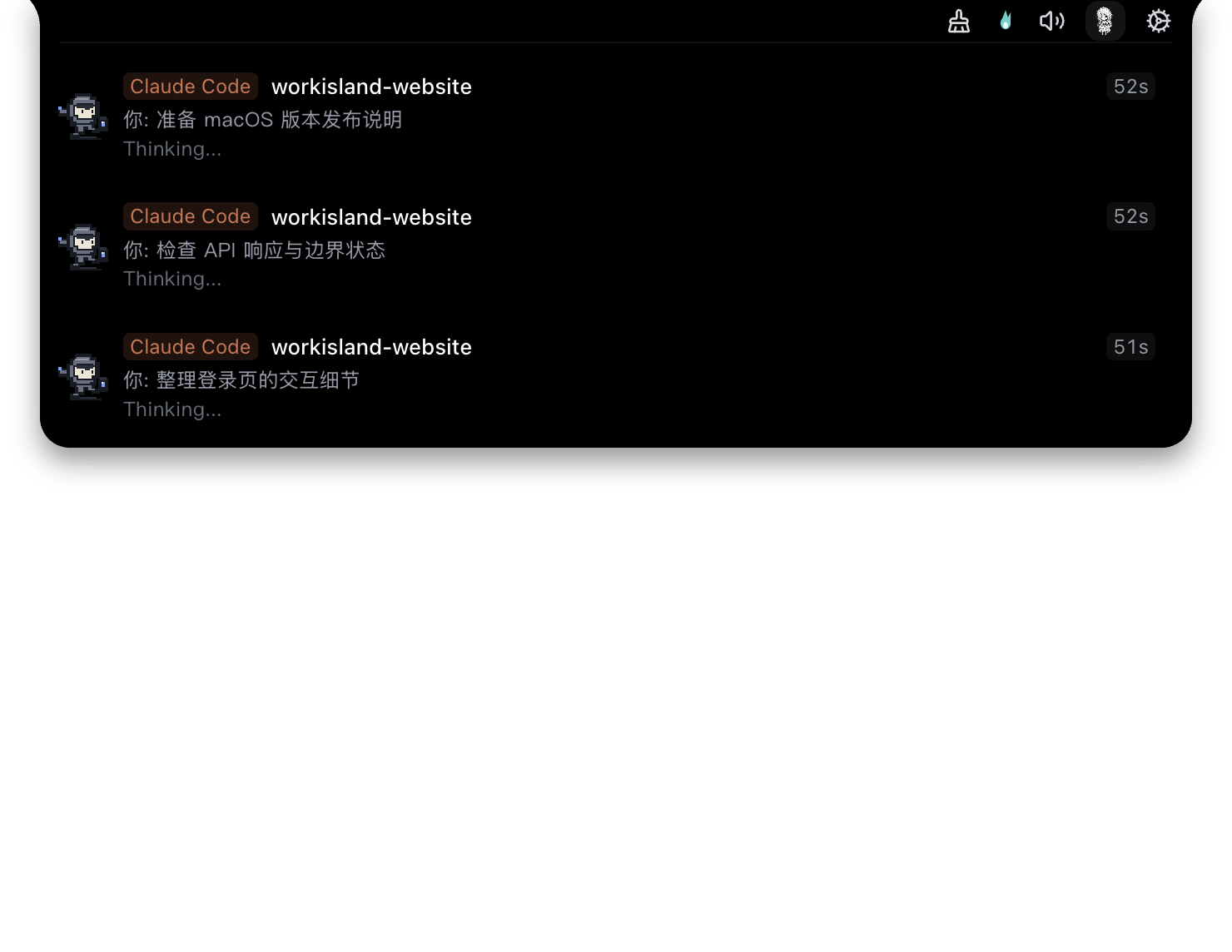
WorkIsland is a local macOS companion, not a replacement for Claude Code, your terminal, or your editor. It reads task signals from connected agents and presents clear states for running work, attention needed, completion, or failure. When there is something to do, you can return to the source session.
FIRST RUN
Validate it with one real task
- 01
Install and open WorkIsland
Download the macOS installer, move the app to Applications, and open it. The download button prefers a configured mirror and falls back to the official GitHub Release if that mirror is unavailable.
- 02
Connect Claude Code in Agent settings
Select the Claude Code workflow you already use and complete the local connection using the in-app guidance. When the connection is unavailable, WorkIsland does not fabricate a “completed” state.
- 03
Run a real task and watch its state
Start a Claude Code task in your normal terminal. As it runs, needs action, or completes, check the Island; when a relevant signal appears, select the task to return to the matching terminal or app context.
When is this useful?
When you already run longer Claude Code tasks, keep multiple sessions open, or do not want terminal polling to become your status system. WorkIsland does not make approval decisions for you or automatically complete work that still requires your judgment.
FAQ
Common questions
Does WorkIsland replace Claude Code or my terminal?
No. You keep working in Claude Code and your normal terminal. WorkIsland presents local task state and helps you return to the source session when attention is required.
What should I check if no task state appears?
Confirm the local Claude Code connection in WorkIsland's Agent settings, then verify it with a real task. When no connection exists, the app will not invent task state.
Does WorkIsland upload my code or session content?
No. Session content, code, paths, project names, host names, and user names remain on your Mac. The website analytics disclosure is in the privacy section of the user guide.
TRY IT WITH ONE REAL TASK
Return only when attention is needed.
Validate WorkIsland with the Claude Code workflow you already have. If a connection or return-to-source behavior is not what you expect, send your app version and redacted reproduction steps.
Download WorkIsland for macOS